Early in OpenClaw days (it was called Clawdis at the time, not even Clawdbot yet), everyone was noticing token spend was much higher than expected. I wanted to debug, so needed a way to see what was actually happening. How long is the system prompt? How many API calls per conversation? What’s the token breakdown?
I’ve used the LiteLLM -> LangFuse pattern before, so I quickly setup OpenClaw to point to a new instance of it. These are rough notes on how to do that.
The Stack
LiteLLM is an open source proxy that sits between your agent and the LLM providers. One API endpoint, any model. It handles routing, fallbacks, and logging.
LangFuse is an open source observability platform for LLM apps. It captures traces, visualizes token usage, and tracks costs over time. LiteLLM has native support to send to LangFuse.
Together, the architecture looks like this:
┌─────────────┐     ┌─────────────┐     ┌─────────────────┐
│  OpenClaw   │────▶│   LiteLLM   │────▶│  Model APIs     │
│   Agent     │     │   Proxy     │     │  (Anthropic,    │
└─────────────┘     └──────┬──────┘     │   OpenAI, etc.) │
                           │            └─────────────────┘
                           │
                           ▼
                    ┌─────────────┐
                    │  LangFuse   │
                    │  (traces)   │
                    └─────────────┘
OpenClaw calls LiteLLM instead of hitting provider APIs directly. LiteLLM routes to the right provider and sends trace data to LangFuse.
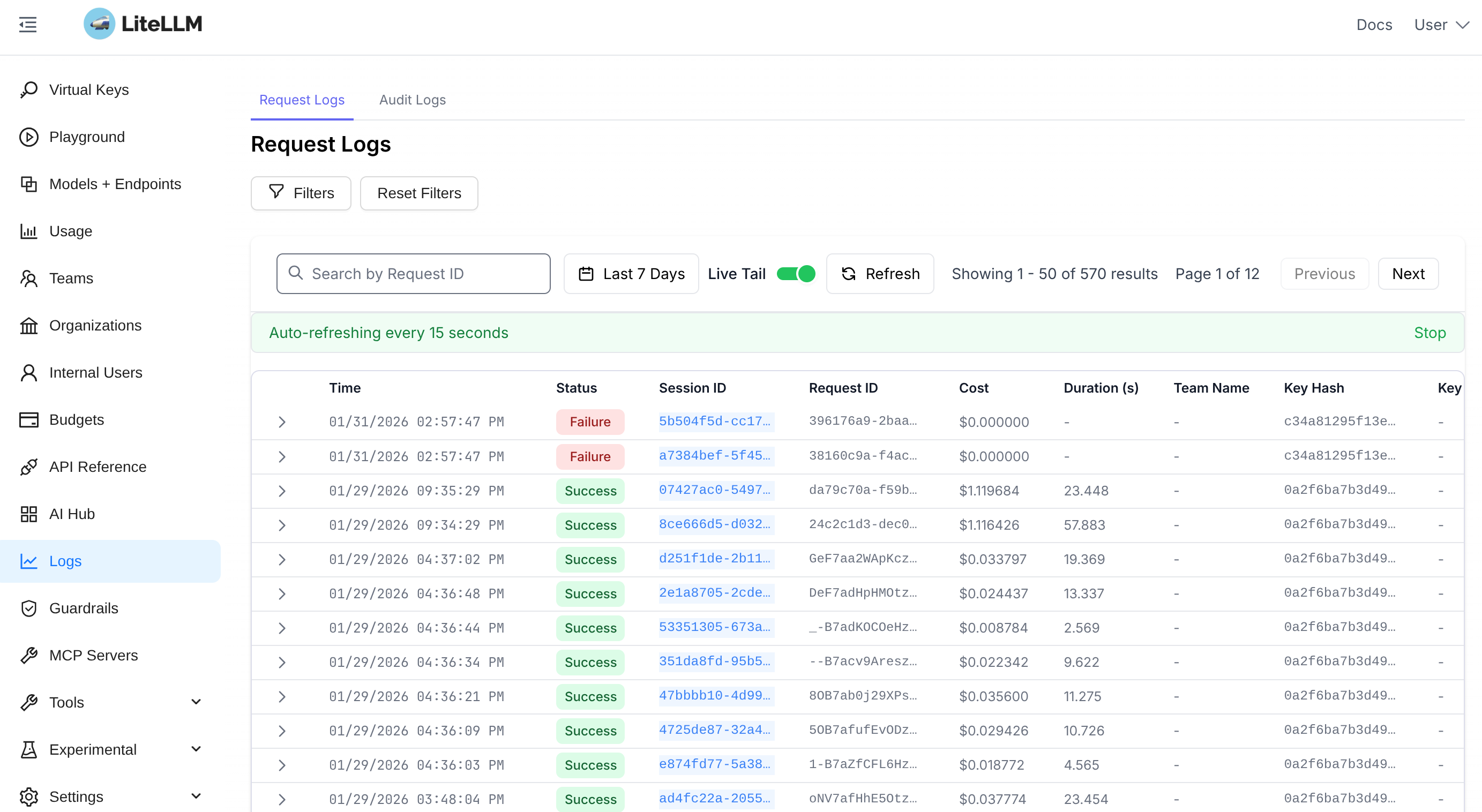 LiteLLM log display showing recent LLM calls.
Setting It Up
If you have Docker installed, this whole stack spins up with a single docker compose up. Create a directory and add these files:
docker-compose.yml
services:
  litellm:
    image: ghcr.io/berriai/litellm:main-stable
    ports:
      - "4000:4000"
    volumes:
      - ./litellm-config.yaml:/app/config.yaml
    command: ["--config=/app/config.yaml"]
    environment:
      DATABASE_URL: "postgresql://llmproxy:dbpassword@litellm-db:5432/litellm"
      STORE_MODEL_IN_DB: "True"
    env_file:
      - .env
    depends_on:
      litellm-db:
        condition: service_healthy
      langfuse:
        condition: service_healthy

  litellm-db:
    image: postgres:17
    environment:
      POSTGRES_DB: litellm
      POSTGRES_USER: llmproxy
      POSTGRES_PASSWORD: dbpassword
    volumes:
      - litellm_db_data:/var/lib/postgresql/data
    healthcheck:
      test: ["CMD-SHELL", "pg_isready -U llmproxy -d litellm"]
      interval: 5s
      timeout: 5s
      retries: 5

  langfuse:
    image: langfuse/langfuse:3
    ports:
      - "3000:3000"
    environment:
      DATABASE_URL: postgresql://langfuse:dbpassword@langfuse-db:5432/langfuse
      NEXTAUTH_SECRET: generate-a-random-secret-here
      SALT: generate-a-random-salt-here
      NEXTAUTH_URL: http://localhost:3000
      LANGFUSE_INIT_ORG_ID: my-org
      LANGFUSE_INIT_ORG_NAME: "My Org"
      LANGFUSE_INIT_PROJECT_ID: my-project
      LANGFUSE_INIT_PROJECT_NAME: "My Project"
      LANGFUSE_INIT_PROJECT_PUBLIC_KEY: pk-lf-local
      LANGFUSE_INIT_PROJECT_SECRET_KEY: sk-lf-local
      LANGFUSE_INIT_USER_EMAIL: admin@localhost
      LANGFUSE_INIT_USER_NAME: Admin
      LANGFUSE_INIT_USER_PASSWORD: adminpassword
    depends_on:
      langfuse-db:
        condition: service_healthy
    healthcheck:
      test: ["CMD", "wget", "--spider", "-q", "http://localhost:3000/api/public/health"]
      interval: 5s
      timeout: 5s
      retries: 5

  langfuse-db:
    image: postgres:17
    environment:
      POSTGRES_DB: langfuse
      POSTGRES_USER: langfuse
      POSTGRES_PASSWORD: dbpassword
    volumes:
      - langfuse_db_data:/var/lib/postgresql/data
    healthcheck:
      test: ["CMD-SHELL", "pg_isready -U langfuse -d langfuse"]
      interval: 5s
      timeout: 5s
      retries: 5

volumes:
  litellm_db_data:
  langfuse_db_data:
litellm-config.yaml
model_list:
  - model_name: claude-opus-4-5
    litellm_params:
      model: anthropic/claude-opus-4-5-20251101
      api_key: os.environ/ANTHROPIC_API_KEY
      additional_drop_params: ["store"]

  - model_name: gpt-5.2
    litellm_params:
      model: openai/gpt-5.2
      api_key: os.environ/OPENAI_API_KEY
      additional_drop_params: ["store"]

  - model_name: gemini-3-pro
    litellm_params:
      model: gemini/gemini-3-pro-preview
      api_key: os.environ/GEMINI_API_KEY
      additional_drop_params: ["store"]

  - model_name: gemini-3-flash
    litellm_params:
      model: gemini/gemini-3-flash-preview
      api_key: os.environ/GEMINI_API_KEY
      additional_drop_params: ["store"]

litellm_settings:
  drop_params: true
  success_callback: ["langfuse"]
  failure_callback: ["langfuse"]
.env
# LLM Provider Keys
ANTHROPIC_API_KEY=sk-ant-...
OPENAI_API_KEY=sk-...
GEMINI_API_KEY=...

# LiteLLM
LITELLM_MASTER_KEY=sk-litellm-your-master-key

# LangFuse connection (matches LANGFUSE_INIT values above)
LANGFUSE_PUBLIC_KEY=pk-lf-local
LANGFUSE_SECRET_KEY=sk-lf-local
LANGFUSE_HOST=http://langfuse:3000
Start It Up
docker compose up -d
After about 30 seconds:
- LiteLLM proxy: http://localhost:4000
- LangFuse UI: http://localhost:3000 (login:
admin@localhost/adminpassword)
Pointing Your Agent at LiteLLM
For OpenClaw (or any OpenAI-compatible client), point it at LiteLLM instead of the provider directly. Add a new model (or multiple models) to your OpenClaw config, setting the base URL to http://localhost:4000 and use model names like claude-opus-4-5 (matching your litellm-config.yaml).
...
  "models": {
    "providers": {
      "litellm": {
        "baseUrl": "http://localhost:4000/v1",
        "apiKey": "sk-....",
        "api": "openai-completions",
        "authHeader": true,
        "models": [
          {
            "id": "claude-opus-4-5",
            "name": "Claude Opus 4.5 (via LiteLLM)",
            "reasoning": false,
            "input": [
              "text",
              "image"
            ],
            "cost": {
              "input": 15,
              "output": 75,
              "cacheRead": 1.5,
              "cacheWrite": 18.75
            },
            "contextWindow": 200000,
            "maxTokens": 32000,
            "compat": {
              "supportsStore": false
            }
          },
...
You then need to add the models to your agent’s model list. I add to my default agent as I am not using multi-agent.
 "agents": {
    "defaults": {
      "model": {
        "primary": "litellm/claude-opus-4-5",
      },
      "models": {
        "litellm/claude-opus-4-5": {
          "alias": "ll-opus"
        },
        "anthropic/claude-opus-4-5": {
          "alias": "opus"
        },
...
You can have as many models and providers as you want. The default will be whatever value is set with primary.
With the default model set as in the config above, or if you change to a LiteLLM powered model in chat with something like /models ll-opus, every API call will route through LiteLLM and gets logged to LangFuse.
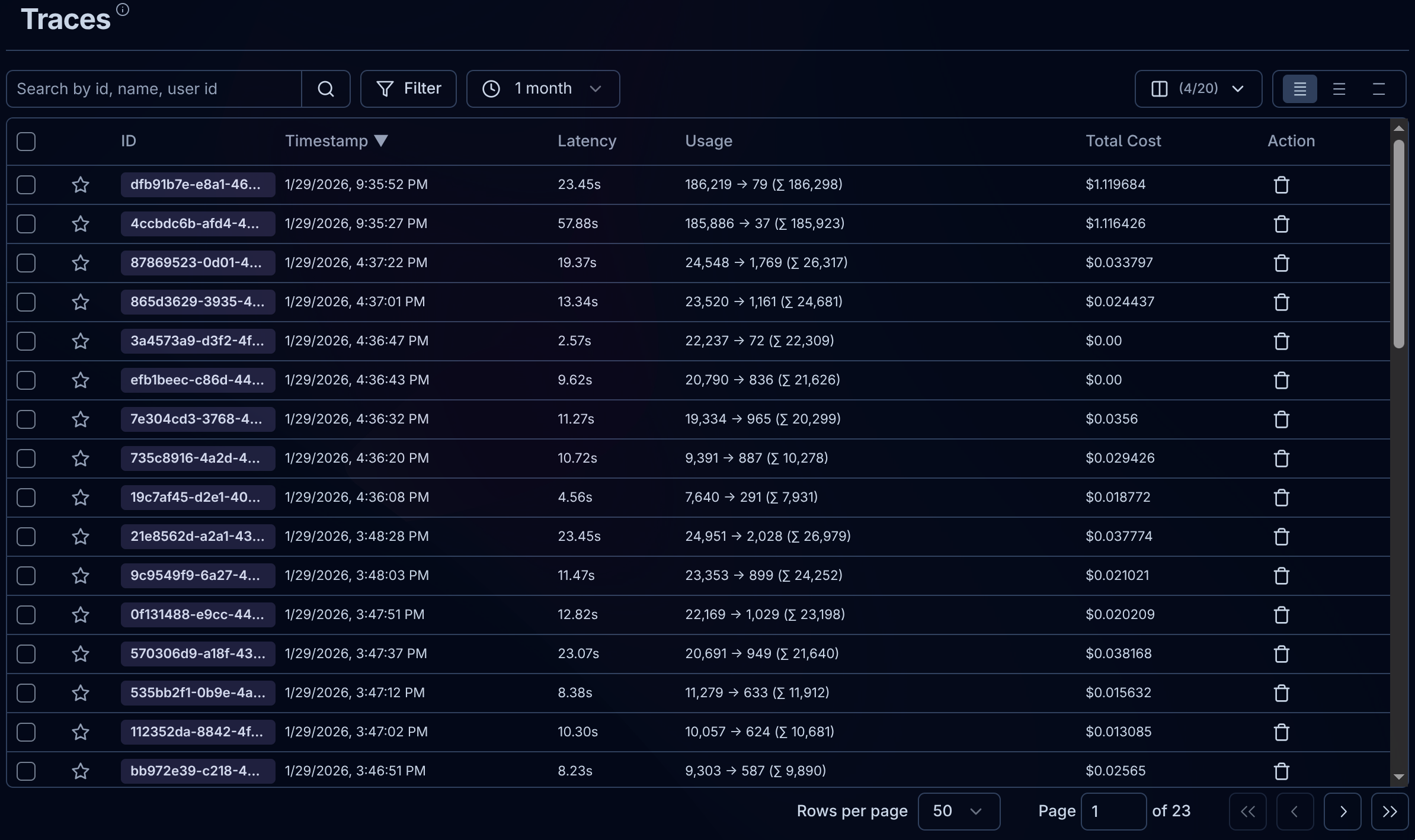 LangFuse page showing recent traces.
What You Get
Once traffic is flowing, LangFuse shows:
Traces — Every conversation as a tree of API calls. See the full input/output, token counts, and latency for each step.
Costs — Per-call pricing based on model and token usage. Aggregate by day, week, or session.
Debugging — The full system prompt, tool calls, and model response.
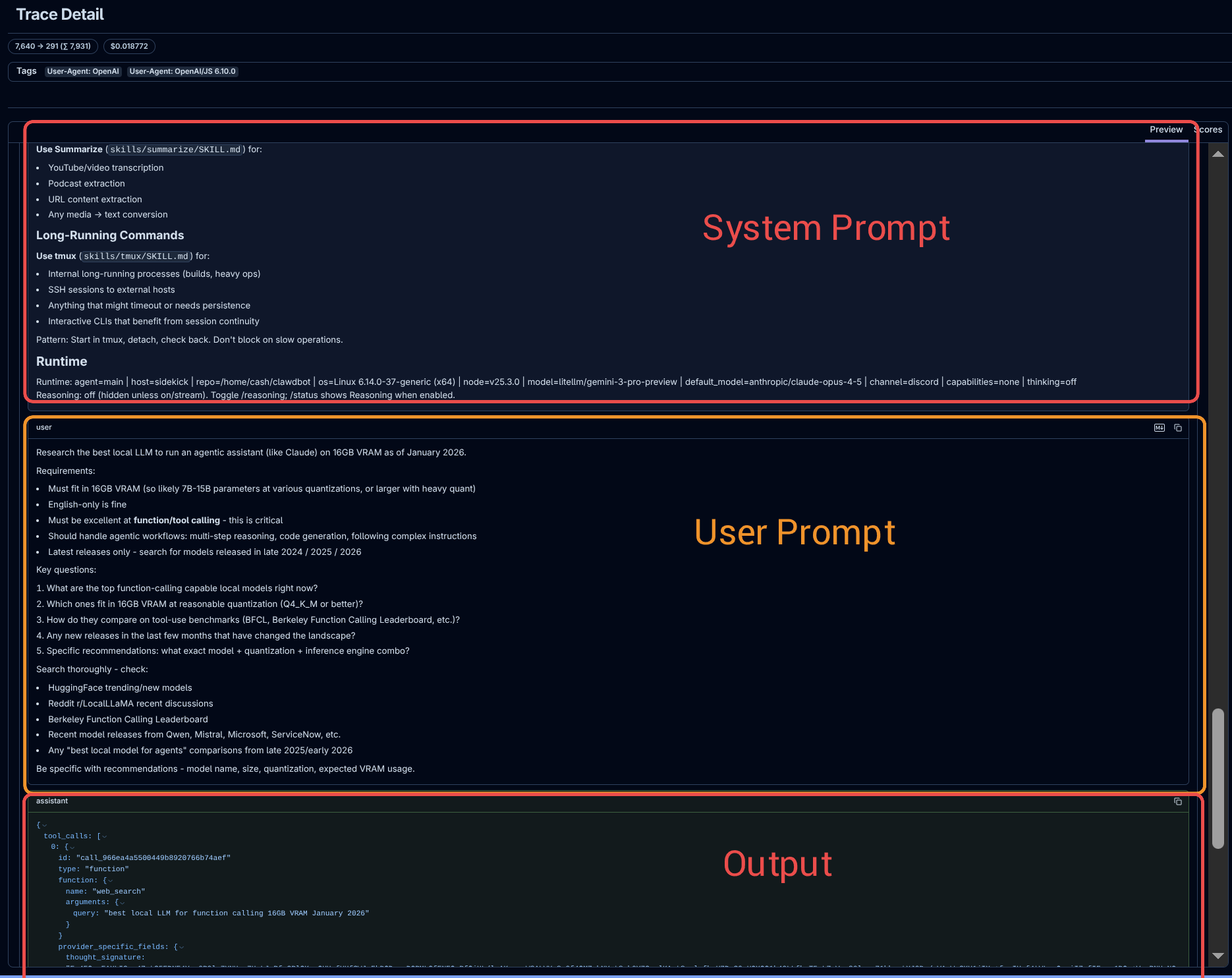 An OpenClaw trace in LangFuse.